Excerpt

Showing posts with label tracks theme. Show all posts

Friday, May 22, 2015

Tweaked header

Originally, this theme (Tracks) doesn't provide a full-width-image-header feature.

Found someone raised a such request at the theme's support page. So I thought it would be great to implement on this blog. Anyway, tweaked header a little bit... hope my kids will love it (and you too).

CSS used:

.title-info .logo {
max-width: 100%;
max-height: 100%;
}
#title-info {
position: relative;
z-index: 0;
}
.logo {
width: 100%;
}
.site-header .container {
max-width: none;
}
#menu-primary {
max-width: 1280px;
margin: 0 auto;
}
#title-info {
float: none;
}
@media all and (min-width: 50em) {
#title-info {
margin-top: -1.5em;
}
}
.site-title, .h2 {
text-align: right;
}
.site-header .site-title {
opacity: 1;
}

Sunday, January 4, 2015

Wordpress theme Tracks - Random background for non thumbnail posts

Just a simple note for myself, unless there is a reader out there :-)

This article is about to modify the Wordpress theme Tracks, which is basically will display a random background in non-thumbnail (featured image) posts. Here we go;

Create images with name "background_1.jpg" to "background_12.jpg" in running numbers and place into "images/" folder in root (example: http://localhost/wordpress/images/)

Insert below style inside <head></head> of "header.php"
<style type="text/css">
.excerpt {
background: url(<?php echo (network_site_url( '/images/background_' )) . (rand(1, 12)) . '.jpg'; ?>) center top;
</style>

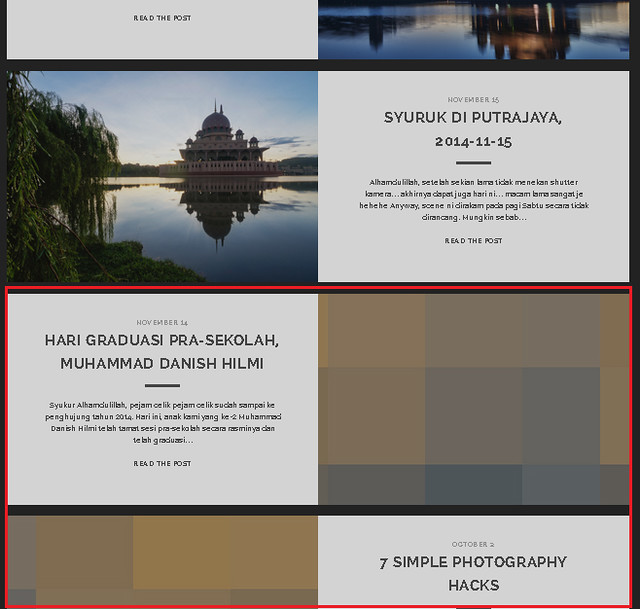
Background will be randomized "background_1.jpg" to "background_12.jpg", as per screenshot below:

https://farm6.staticflickr.com/5678/21885487268_95de894406_z_d.jpg

Notes:
- Depending on how many background images, "rand(1, 12)" should be changed accordingly
- This will overwrite the original header.php, in case the theme updated, write the code again
- In my case, each images resized to 1160px width and 1024px height. Not sure what is the ideal resolution thou.

That's it I guess, thanks for reading :-)